A coding agent that can't run tests is writing on faith. It edits a file, reasons about why the edit is correct, and moves on — the same skim-and-commit failure mode a human falls into, just faster. The fix isn't a smarter model. It's a feedback loop: after the agent changes code, something independent has to exercise the app and report what actually happened.
That "something" shouldn't be a suite the agent wrote thirty seconds ago. A test authored by the same reasoning that produced the bug inherits the bug's blind spot. What multiplies an agent's output is a pre-existing suite it can trigger and read — tests written against desired behavior, verified against a real run, sitting there as an existing behavioral check whose expectations still require review. TestVibe's MCP server hands your agent exactly that.
The loop you're building
Here's the shape. The agent makes a change. It calls a tool to run the relevant TestVibe features in isolated cloud sandboxes against your app's URL. It waits within a bounded budget for a terminal result, reads back per-test pass/fail plus failure detail, and either declares done or loops on the failures. No local browser, no Playwright install, no runner setup — dispatch and poll.
The key property: the agent is running tests it did not write. Your features were generated earlier from plain-language descriptions, and each one only reached generated status after TestVibe replayed it against the live site and the assembled spec passed a real run. (That verification step is the whole argument for trusting a test an AI wrote — generated status records a passing verification; drafts may be visible earlier.) So when the agent triggers those features, it's getting signal from a source that doesn't share its current context. That independence is the entire value. A green run means something.
Setup: one key, one MCP registration
Hosted CLI/MCP access requires Team or higher. Interactive testvibe login uses browser authorization; unattended agents can use a dedicated API key kept in a secret store. Everything routes through the same surface documented in the CLI, REST API, and MCP guide. Create an API key under Settings → CLI & API keys, then register the MCP server. The testvibe CLI bundle doubles as a stdio MCP server, so install the CLI bundle and put testvibe on PATH in the MCP client environment; Node 20+ alone does not install that executable.
For Claude Code:
claude mcp add testvibe \
  -e TESTVIBE_SERVER=https://your-testvibe-server \
  -e TESTVIBE_API_KEY=tvb_XXXXXXXX… \
  -- testvibe mcp
For Cursor or any client that reads an mcpServers block, it's the same command and args as a JSON entry:
{
  "mcpServers": {
    "testvibe": {
      "command": "testvibe",
      "args": ["mcp"],
      "env": {
        "TESTVIBE_SERVER": "https://your-testvibe-server",
        "TESTVIBE_API_KEY": "tvb_XXXXXXXX…"
      }
    }
  }
}
The Settings panel generates these snippets pre-filled with your server URL, so you're copy-pasting, not hand-editing. The key acts as the user who created it, scoped to that workspace, and stops working the instant it's revoked — treat it like a password and keep it in your agent's env, never a committed file.
What the agent gets
Once connected, the available schemas expose supported operations for the credential’s scope. The ones that matter for the run-and-verify loop:
list_projects— the agent discovers which projects exist and their ids. Feature-listing tools show it which features carry runnable tests.run_feature— dispatch a run in a cloud sandbox. Returns immediately with a run id; the sandbox does the work, not the agent's machine.wait_for_run— waits within its configured budget for a terminal outcome; queued/allocating/running are not verdicts, and the MCP client’s transport timeout is a separate limit.get_run— the full results digest: pass/fail summary, per-test statuses, error messages, and an artifacts manifest.diagnose_run— collapses the fix loop into one call. For a failed run it returns the failing tests, the Gherkin, the executed spec source, and artifact paths; useget_run_artifactsfor available access links.
The tool descriptions carry the workflow, so the agent discovers the dispatch-then-poll pattern from the schemas alone — run_feature points it at wait_for_run. And the guardrails live server-side: write allowlists, generation locks, and workspace scoping are enforced by the API no matter what the model asks for. The MCP server adds no privileges. An agent can't escalate its way past a lock by phrasing the request differently.
A worked example
Say a user reports that the "Apply coupon" flow stopped updating the cart total. You point your agent at the repo and the TestVibe MCP server, and the exchange looks like this:
You: The coupon total is wrong on checkout. Find and fix it, then verify with the TestVibe checkout features.
The agent reads the cart code, spots that a discount is computed but never re-summed into the displayed total, and patches it. First build and expose the changed application at the selected target URL. A cloud run against an unchanged deployment cannot verify a local code edit. Then, instead of asserting "fixed" on the strength of its own diff, it calls list_projects, finds the checkout project, and runs the relevant features:
Dispatched run #291 for "Checkout — coupons". Waiting… Run #291 failed — 3/4 passed.
diagnose_runshows: "Cart total after coupon: expected 45.00, got 50.00" inCoupon reduces order total.
The agent's first fix was incomplete — it updated the summary line but not the tax-inclusive total. It reads the executed spec and error from diagnose_run, patches the second code path, and re-runs:
Run #294 passed — 4/4. Coupon total, tax recalculation, and the invalid-code path all green.
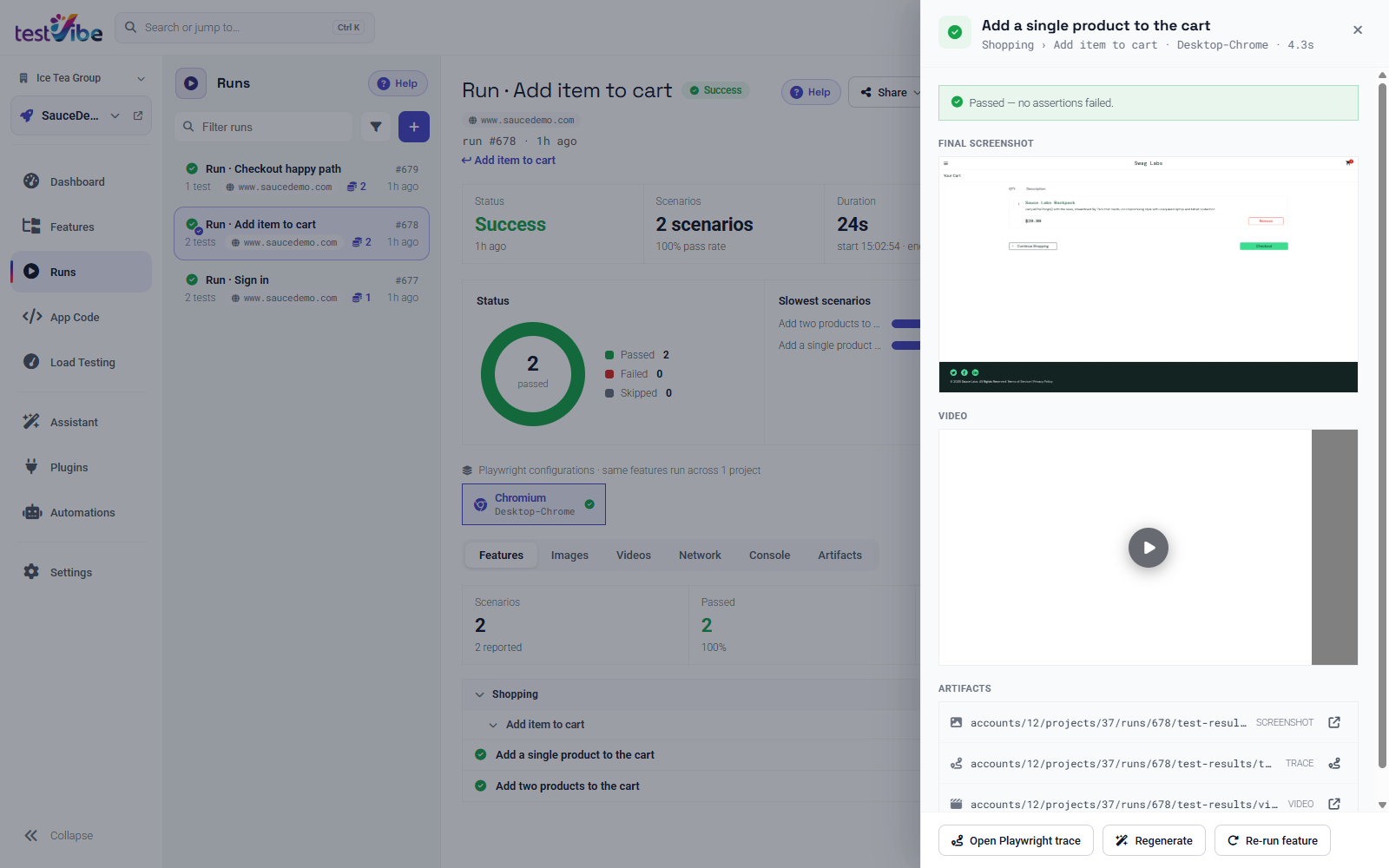
That's the loop closing. The agent didn't grade its own homework against a test it invented; it ran a suite that already encoded what "correct checkout" means and kept going until that suite agreed. The failure detail — a concrete expected-vs-actual, not a stack trace — is what let it find the second bug without you in the room.
Guardrails worth keeping
A few things keep this honest:
- Don't let the agent regenerate the tests it's about to run. The independence is the point. If a feature is genuinely wrong, fix the spec deliberately and let TestVibe re-verify it — don't let the same session that's failing a test rewrite the test to pass. Human review of the spec is still where you belong.
- Scope the runs. Running
run_featureon the two or three features touching the changed area is fast and cheap; blindly running everything on every edit burns credits and slows the loop. Let the agent pick features by area. - Use a dedicated key. One key per agent or machine means you can revoke it independently without disturbing your CI or teammates.
The same dispatch-and-poll pattern is what makes this drop cleanly into a pipeline too — the CI/CD integration story is the non-interactive version of exactly this loop, gating a merge on a green run instead of an agent's judgment. And if your workflow is agent-writes-code, agent-opens-PR, two-way git sync keeps the tests and the code moving together across GitHub, GitLab, or Azure DevOps.
Wrap-up
An agent with no way to run tests is guessing. An agent that can trigger a verified, independent suite in the cloud and read back real failure detail is checking its work — which is the difference between output you have to re-review line by line and output you can trust because a browser really did the thing.
TestVibe is in early access — get early access, create a key under Settings → CLI & API keys, and wire the MCP server into your agent. The full tool reference lives in the API docs.